
Back to resources
June 27, 2026
·
7 min read
·
By Josh Stephens

Before we start, let me state the obvious, you do not need to become an influencer or post every day. That's not what social media is for when you run a local business.

People don't follow your page for entertainment. They look you up to answer one question: "Are they any good, and can I trust them?" A page with recent photos of finished work answers that question in about three seconds.

This guide keeps it simple: get set up properly on Facebook and Instagram, make your pages look good, and post the right things often enough to look active.

Why bother with it at all

Because it's where people check you out, and almost everyone you'd want to reach is already there:
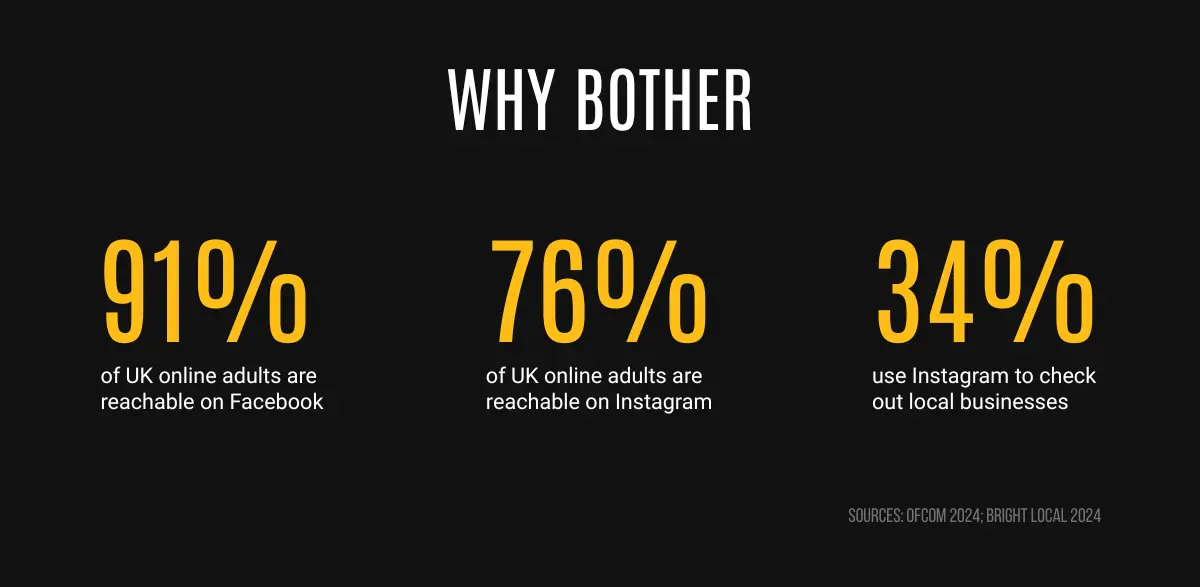
Why bother: 91% of UK online adults reachable on Facebook, 76% on Instagram, 34% check local businesses there

Here's what an active page actually does for you:

  • It's your trust check.
  • It keeps you front of mind.
  • It shows you're busy and real.

Start with Facebook

For most local businesses, Facebook does the heavy lifting. It tends to have more of the homeowner age crowd.
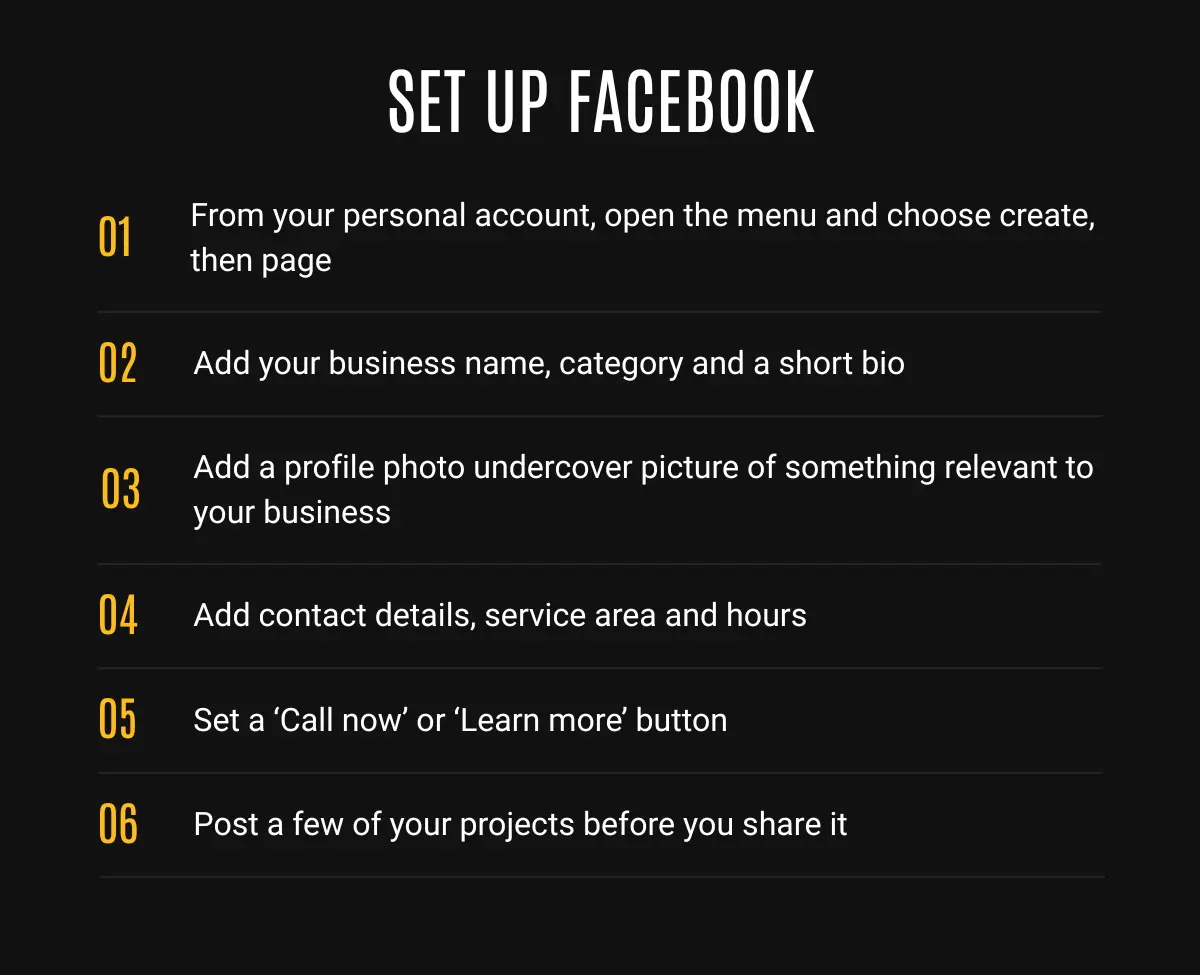
Setting up your Page (about 20 minutes):

  1. Log into your personal Facebook account (your Page is created from it, but stays separate, your personal posts won't show on it).
  2. Open the menu and choose Create, then Page.
  3. Enter your business name, pick the category that fits (e.g. "Plumber", "Electrician", "Garden designer"), and write a short bio of what you do and where.
  4. Add a profile photo (your logo, or a clean photo of you) and a cover photo (a picture of finished work).
  5. Add your contact details: phone, email, service area, hours, and a website if you have one.
  6. Set up a call-to-action button ("Call now" or "Learn more") so people can reach you in one tap.
Set up a Facebook Page in 6 steps, from creating the page to posting your first few jobs

Then add Instagram

Instagram is the nice to have, but it's quick to set up alongside Facebook.
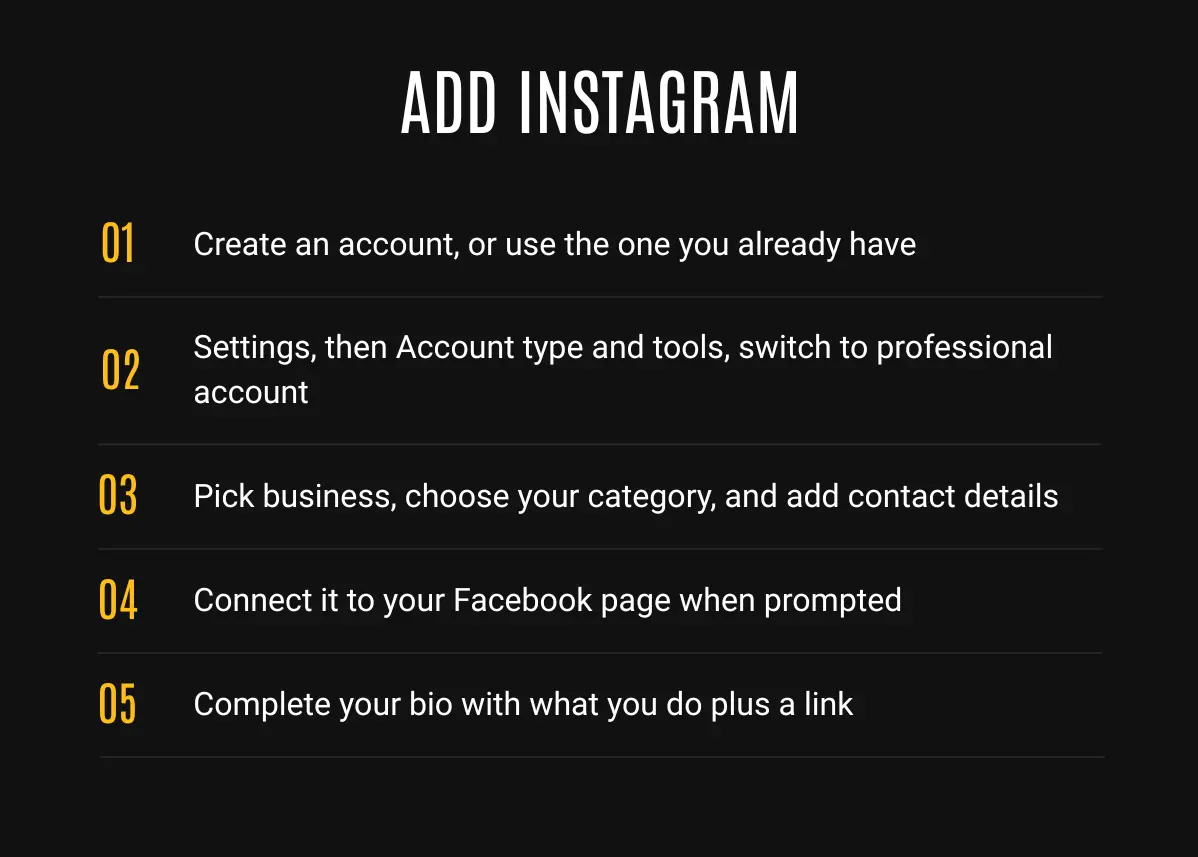
  1. Download the app and create an account, or use one you already have.
  2. Go to Settings, then Account type and tools, and choose Switch to professional account.
  3. Pick Business, choose your category, and add your contact details.
  4. Connect it to your Facebook Page when prompted. This lets you post to both at once later and keeps everything tidy.
  5. Finish your bio: what you do, and your contact or website link.
Add Instagram in 5 steps, from switching to a professional account to connecting your Facebook Page

Optimise it the same way: clear profile photo, a bio that says exactly what you do and where, and a few strong posts up before you share it.

One thing worth knowing: you can post to both Facebook and Instagram at the same time once they're linked, so keeping both going is less work than it sounds.

What to actually post

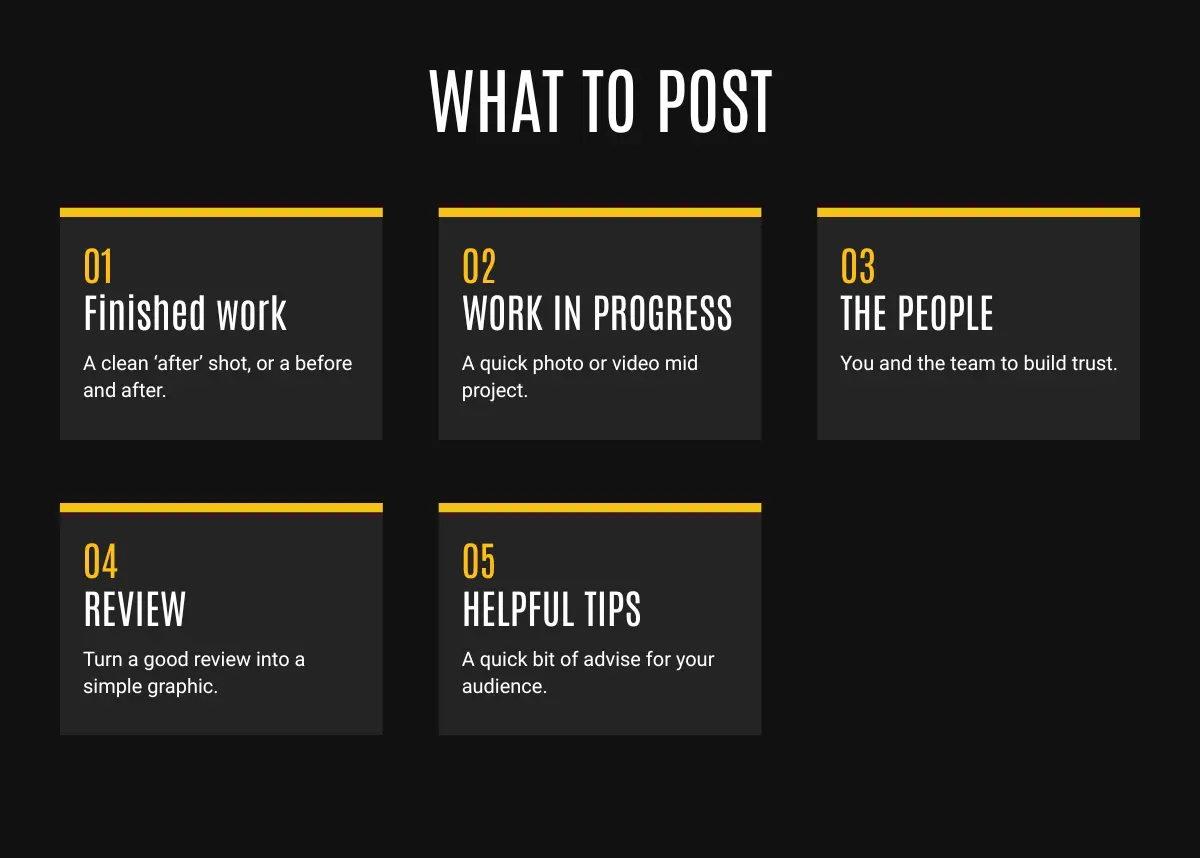
Don't overthink it. For a local service business, your work is the content. Here's the simple mix to rotate through:

  • Finished work. A clean "after" shot, or a before and after.
  • Work in progress. A quick photo or clip mid-job. Some people love seeing the craft.
  • The people. You, the team, the van. Trust often comes from showing faces.
  • Reviews. Turn a good review into a simple graphic. Free proof.
  • A helpful tip. One quick bit of advice in your trade. Positions you as the expert.

If you're keen to grow your page, check out our writing posts that get enquiries resource.

A few rules that make it easy:
  • Consistency beats volume. Two or three good posts a week, beats ten in a burst then nothing.
  • Your phone is fine. You don't need a camera crew (we cover how to get great photos with your phone here).
  • Done beats perfect. A real photo of your work posted today is better then a perfect post you never get round to.
What to post: finished work, work in progress, the people, reviews, and a helpful tip

Where this goes next

Once you're set up and posting steadily, two things open up. First, you can build out a proper content rhythm so your page does more of the selling for you. Second, when you're consistently posting and ready to reach more people, you can start advertising, and that's where the Meta Business Suite and ad tools come in.

We cover advertising in its own guide, including when you're actually ready for it. For now, get set up, post and keep it ticking over. That alone will put you ahead of most.