
Quick note before we start:
I'd recommend not starting advertising until you're established on Facebook and Instagram, and you've posted at least 20 times in the last six months.
The reason is: Ads don't create trust, they amplify what's already there. When someone sees your ad and taps your profile, they land on your page. If that page is empty, or the last post was two years ago, you've just paid to show a stranger that you're not really active.
A page with recent jobs, a few reviews and signs of life does the opposite. The ad gets them there, the page closes the gap. So get the organic side ticking over first. If you haven't, go back to the Google Profile and social media guides, come back in a few months, and you'll get far more for your money.
Meta ads are the paid posts you see on Facebook and Instagram (Meta owns both). You pay to put a specific message in front of a specific group of people. You set a budget, Meta shows your ad, and you reach people you choose.
Done well, it's the fastest way to get enquiries. Done badly, it's the fastest way to waste money. The difference is mostly in the setup and the timing, which is what the rest of this guide is about.
Run through this honestly. If you can tick most of these, you're ready:
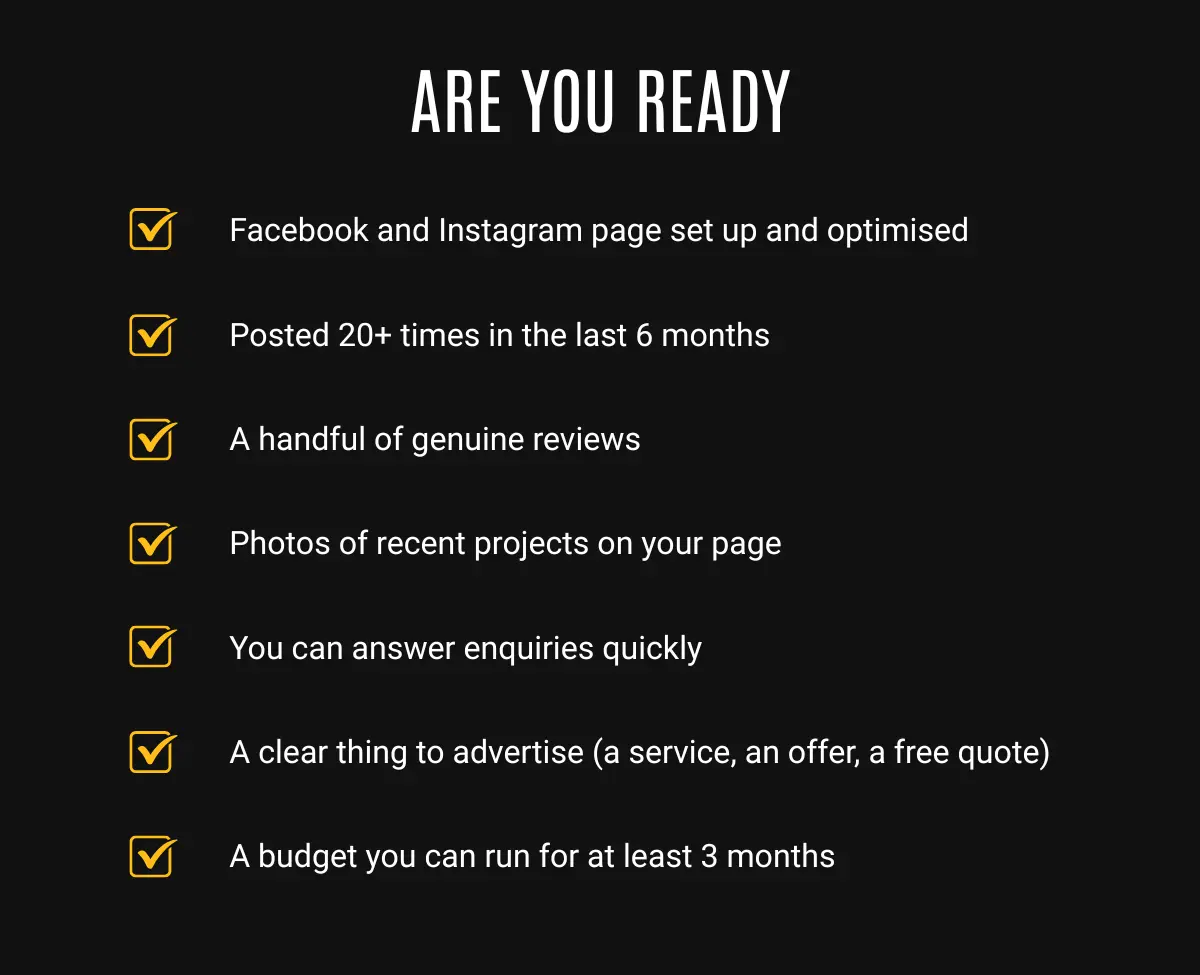
The last point matters. Advertising is not a one-week experiment. Meta's system needs time and a steady budget to learn who responds, so going in for a single week then quitting almost never works. If you can't commit a small amount for a couple of months, wait until you can.
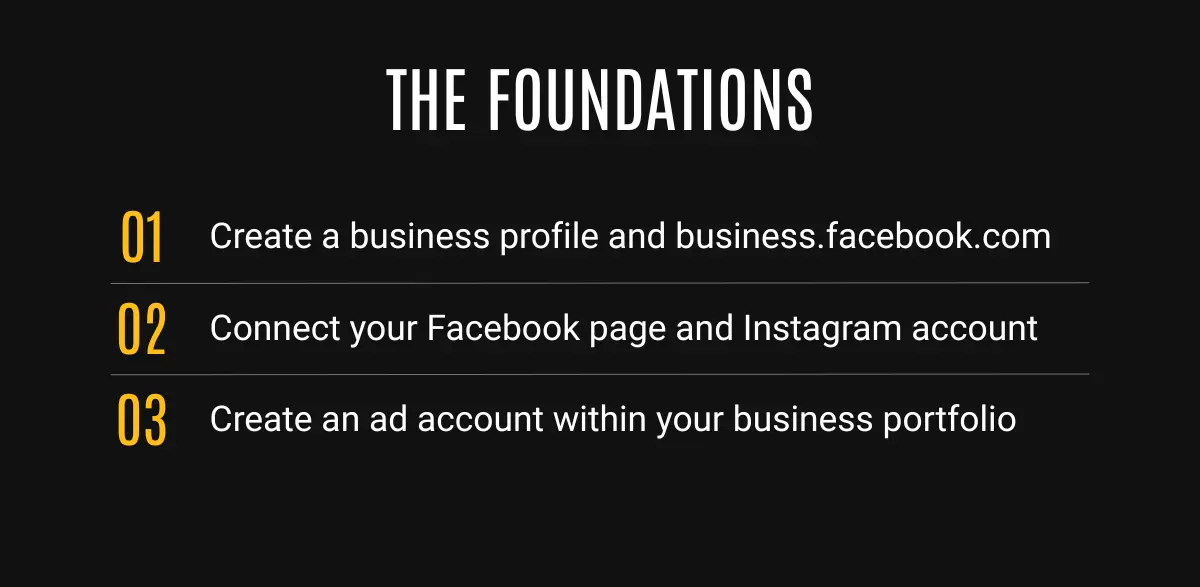
To run proper campaigns (not just boosted posts), you need three things in place: a Business Portfolio, an ad account, and a payment method.
1. Create your Business Portfolio. Go to business.facebook.com and sign in with your Facebook account. This opens Meta Business Suite. Create a Business Portfolio (your business's container for its Page, Instagram, ad account and so on). Add your name, business name and email.
2. Connect your Page and Instagram. In Business Suite, link the Facebook Page and Instagram account you set up earlier, so your ads can run from them.
3. Create an ad account. In Business Settings, find Ad accounts, click Add, then Create a new ad account. Name it, set the time zone and currency (get these right, they can't be changed later), and choose "My business". Add a payment method (card). New portfolios can create one ad account to start with.
A quick note on "Boost post". The blue Boost button on a Facebook post is the simple version of advertising. It's good for getting a post a bit more reach, but for actual lead generation, use Ads Manager (below).
Open Ads Manager (adsmanager.facebook.com) and click Create. Meta structures every campaign in three layers, and it helps to picture them as nested boxes:
Here's a sensible first campaign for a local service business:
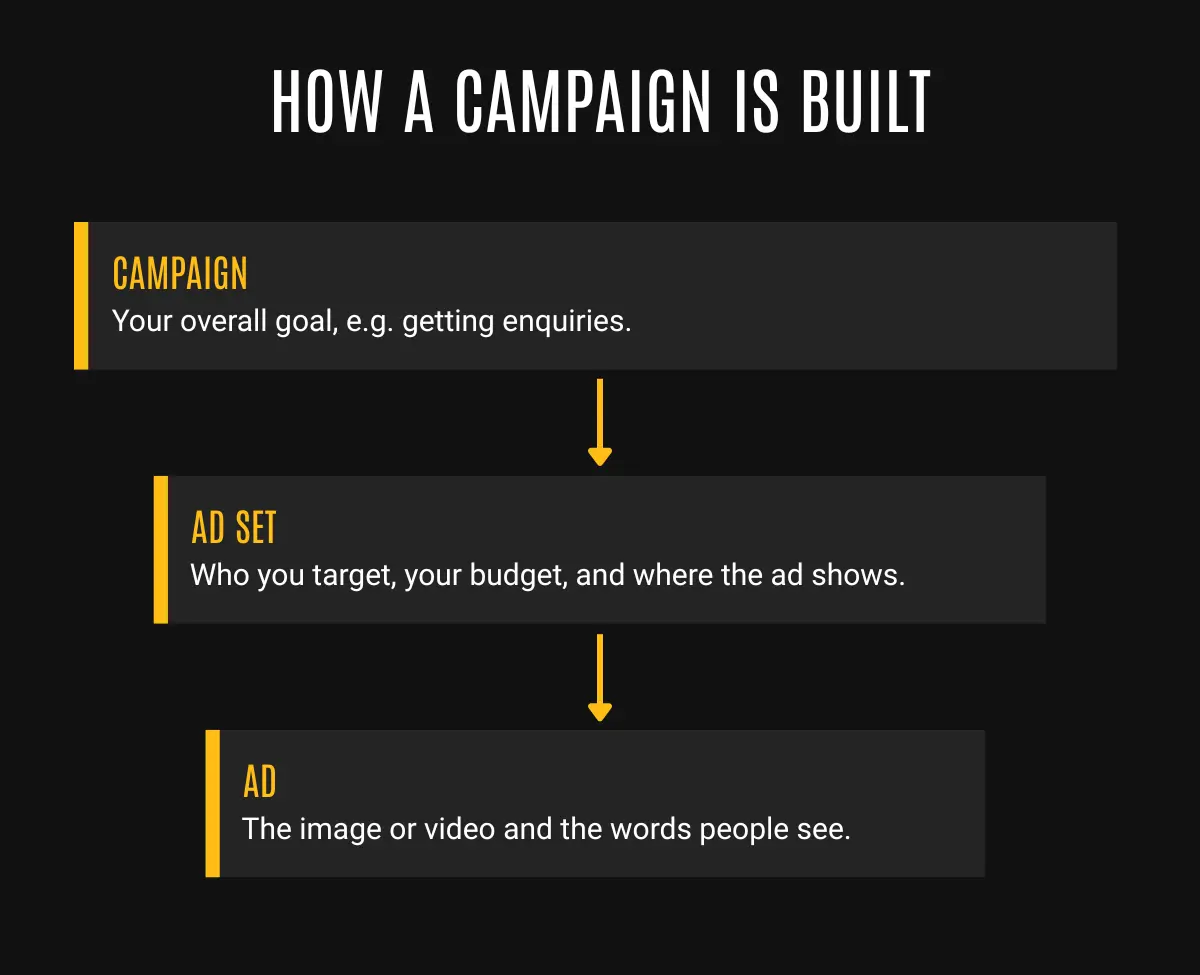
Every time you change the budget, audience or creative, you reset Meta's "learning phase", the period where its system works out who responds. So set it up properly, then leave it to learn for at least a week before judging it.
This is where ads are won or lost. The targeting matters less than people think; the creative (your image or video and words) matters most.
The simple version: test a few, keep the winners, refresh before they tire.
Then watch for ad fatigue. Because Guernsey's audience is small, the same people see your ad sooner than they would in a big city, so your ads tire faster. Two numbers tell you when:
The more you spend, the faster you reach everyone, and the faster you need new creative. Here's a rough guide to how the two relate:
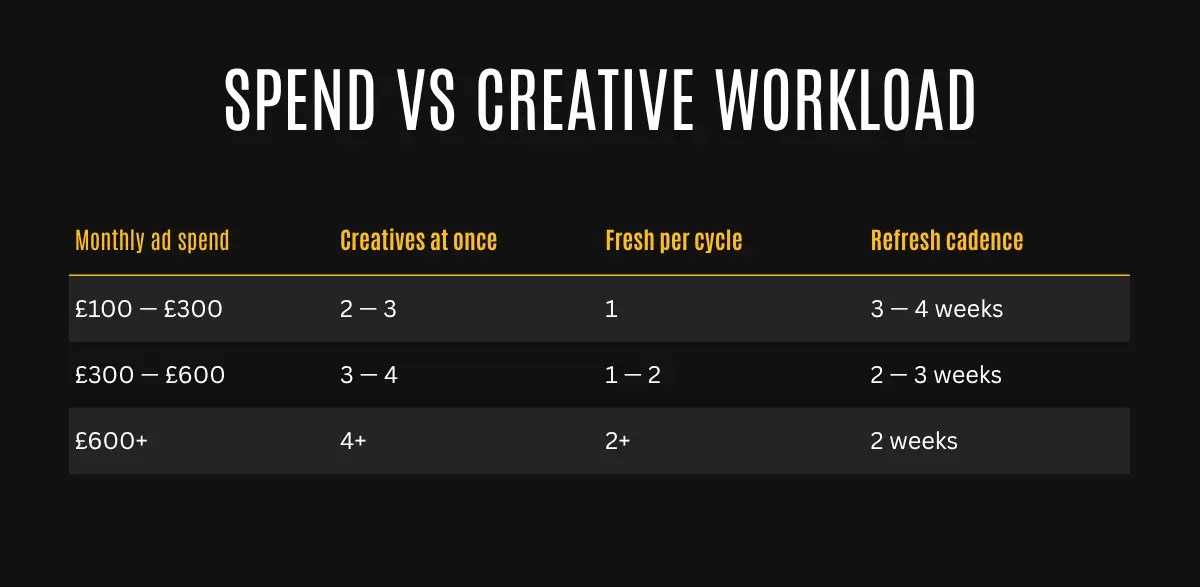
In summary, a smaller budget burns through the audience slowly, so you can leave creatives running a little longer. A bigger budget reaches everyone faster, so you need a steady supply of fresh images and videos to stop people tuning out. Either way, the triggers above are what actually tell you it's time, the table just sets your expectations.
You do not need a big budget to start. A modest, steady spend you can run for a couple of months will teach you more than a big one-week splurge. Start small, watch what comes in, and scale up once you can see it's working.
And keep an eye on the real number that matters: not likes or reach, but enquiries, and what each one cost you. If a campaign brings in jobs worth far more than you spent, that's a winner. If it brings likes and nothing else, change the creative or the offer before you spend more.
That's the foundation: get set up properly, advertise only when your page can back it up, test your creatives, and refresh them before they tire. Do that and you'll avoid the mistakes that waste most people's first month.
Advertising well is a craft, and it's the part most businesses would rather hand over once they've seen how much there is to keep on top of. But you don't need anyone to start, and now you know enough to do it without throwing money away.
.png)