
If you only do one thing from our where do I start guide, do this one.
A Google Business Profile is the free listing that puts you on Google and on the map when someone nearby searches for what you do. It holds your reviews, your photos, your opening hours and a button that rings your phone. It is the closest thing there is to a free shopfront on the busiest high street in the world (Google).
Most businesses on the island have either never set one up, or set one up years ago and never finished it. Which means this is the easiest place to get ahead.
Here's what a finished, well-kept profile actually does:
The gap between a half-finished profile and a complete one is not small:
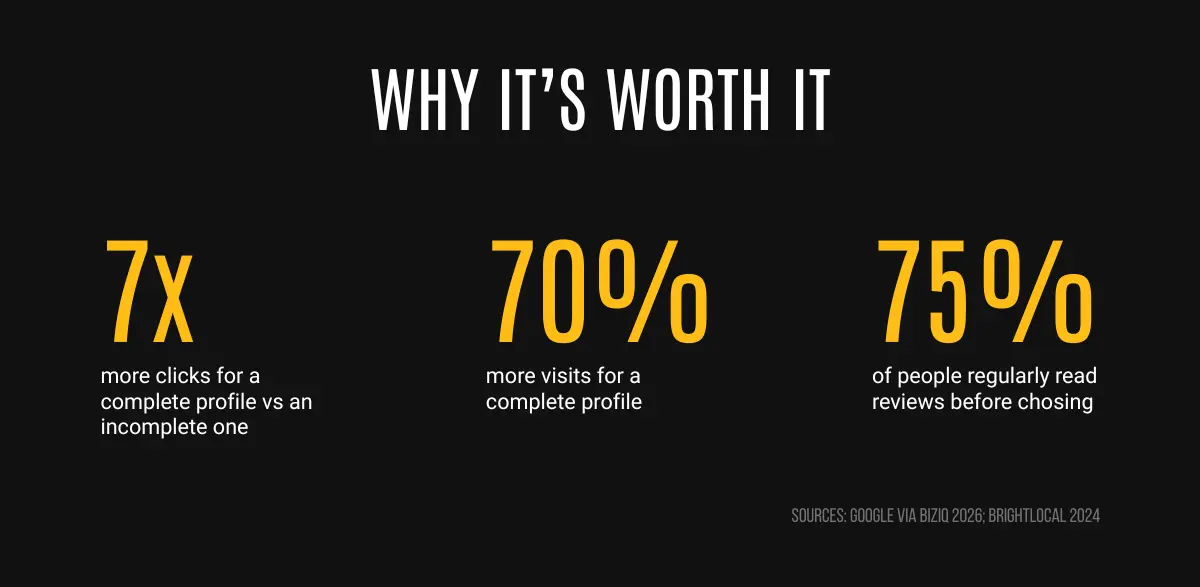
Same listing. Seven times the clicks. Just for filling it in properly.
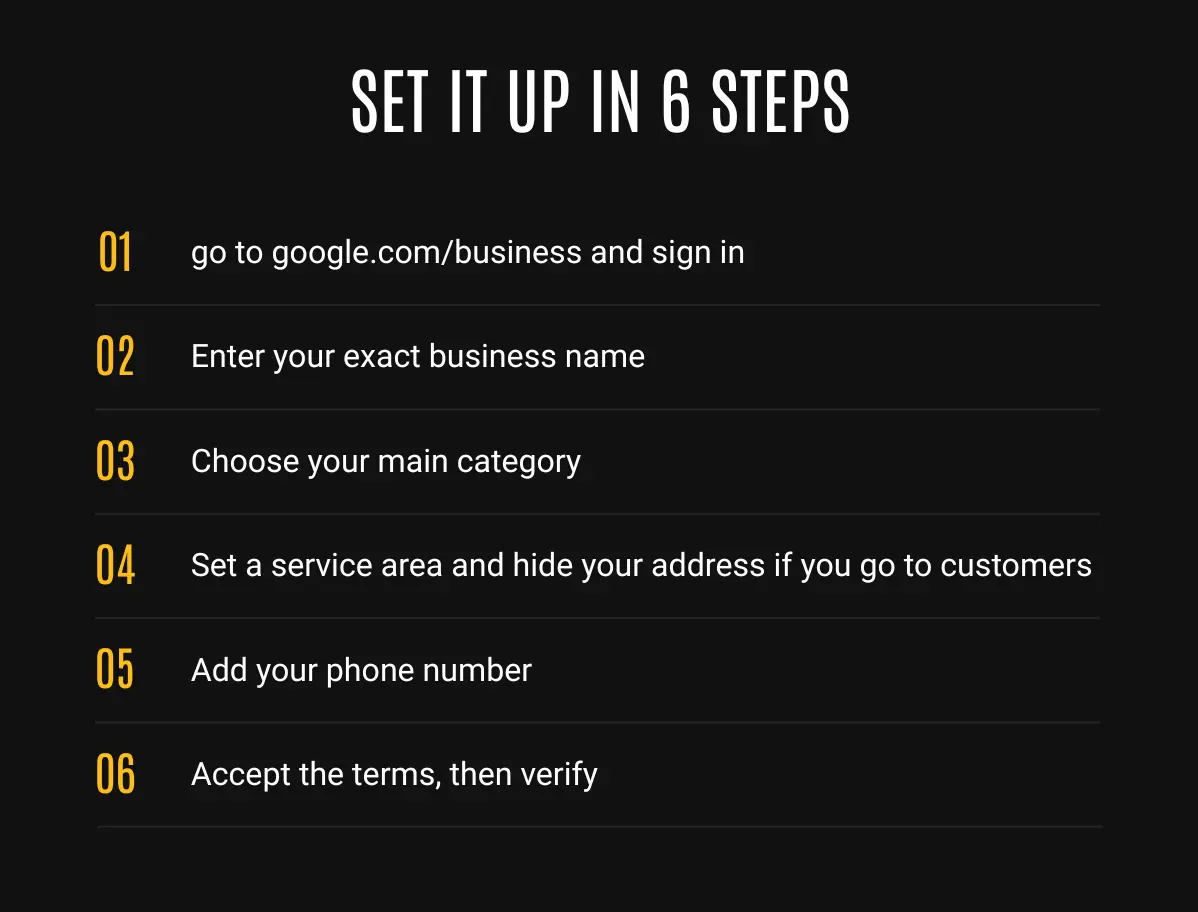
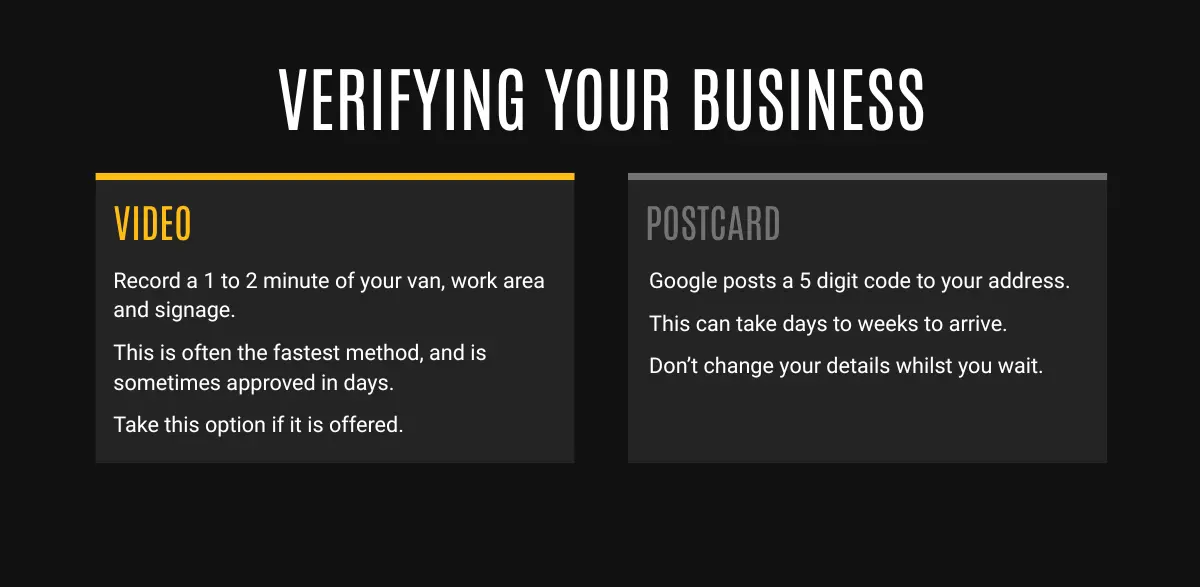
Google needs to confirm you're real before the listing goes fully live. You'll usually be offered one of two ways:
This is where most people stop too early, and it's where the 7x clicks come from. Once verified, you can edit everything directly from Google Search or Maps while logged into your owner account. Go through every section.
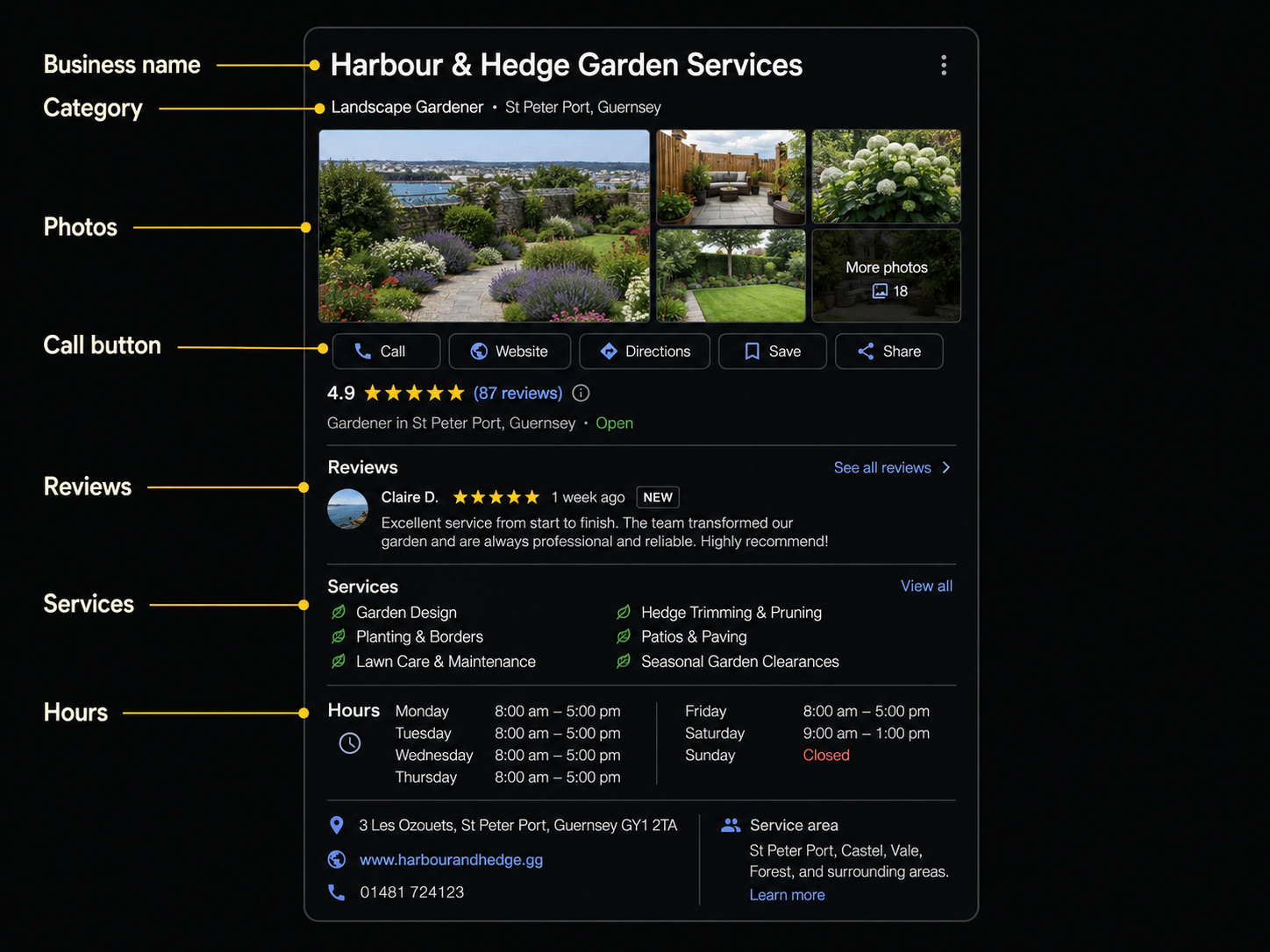
Name. Exactly your business name. Resist the urge to stuff it with "Best Plumber Guernsey", Google can suspend you for it.
Categories. Set the most accurate primary category, then add any genuine secondary ones (a kitchen company might add "Bathroom remodeler"). Only add what you actually do.
Service area. Add Guernsey as the area you cover. This helps Google show you to the right people.
Hours. Set them accurately, including any half-days. Add special hours for bank holidays. Nothing annoys a potential customer like turning up or ringing when you said you're open and you're not.
Phone and website. Double check the number. If you have a website, link it. If you have a booking or quote page, even better.
Description. A few sentences on what you do, who you help and where. Mention Guernsey and your main services naturally.
Services. Add each service you offer as a separate item with a short description. This is underused and genuinely helps you show up for specific searches ("EICR testing", "underfloor heating", "garden design").
Photos. This is the one people skip. Add real photos: exterior or van, you and the team at work, and several tidy finished jobs. Google's own data says profiles with photos get more clicks and more direction requests. Use clear shots, at least 720 x 720 pixels, JPG or PNG. Add a few new ones every month to keep the profile active. We have an entire resource which goes into detail on how you can take great photos of your work.
Products (if relevant). Some businesses use this to showcase specific offerings with a photo and price guide.
Attributes. Tick the relevant ones (e.g. "disabled access").
A profile with no reviews looks new and untested. A handful of genuine 5-star reviews changes everything, and they're free to get.
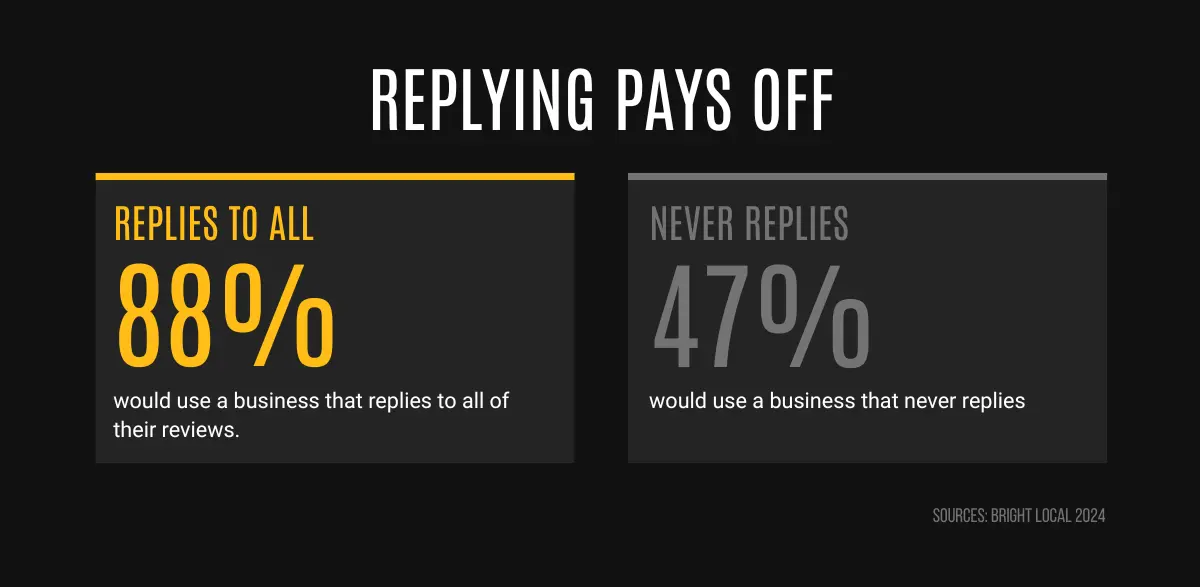
Replying takes seconds and nearly doubles how many people would consider you. A simple "Thanks Sarah, great to work with you" is enough. For more information on how to improve the reviews on your profile, view our how to get more Google reviews resource.
A profile isn't "set and forget". Fifteen minutes a week keeps it working:
That's it. Do the setup in one evening, spend fifteen minutes a week, and you'll quietly climb above competitors who set theirs up once and forgot about it.
Once that's done, the next move is social media, so people who find you can check you out and trust you.
.png)